

So you have already applied for your PAN card and want to know that what is your PAN card status. There are two ways to check your status i.e., the UTIITSL PAN Portal or the TIN-NSDL. If you find this platform difficult to check status, then you can also check from the other below-
Introduction to PAN Card
- PAN card stands for Permanent Account Number.
- This is a unique alphanumeric code assigned to all entities carrying out financial activities in India.
- A PAN card is required in all financial activities.
- You can easily apply for a PAN card.
- Easily request an update/correction on your existing PAN.
If you are applying for a new PAN card, then check your status from this guide, but before that, you need to know the common details you need to check the status.
PAN Application Status Meanings
- If you status shows Application Submitted, this means the application has been successfully received by the portal.
- Under Verification / Under Process means the documents you submitted are being verified.
- Application Approved: Your details have been verified, and your PAN has been allotted.
- PAN Card Dispatched: Your physical PAN card has been printed and sent to your registered communication address via Speed Post.
- Objection: This status means there is a discrepancy in your application. It could be a mismatch in your name, date of birth, or an issue with the supporting documents. You will need to take action to resolve this.
Documents You Need Before You Start
- A 15-digit numeric Acknowledgement Number available on the receipt issued after you submitted your application.
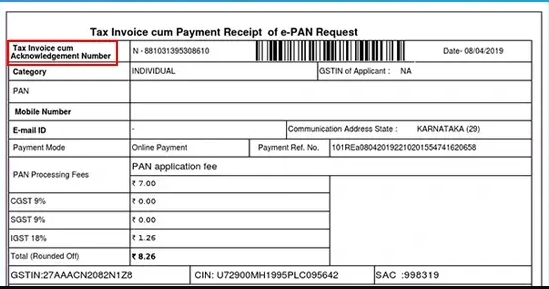
Image:- PAN Card Acknowledgement number
- An Application Coupon Number is a 10-digit numeric code found on your application receipt.
- You will need your date of birth (or date of incorporation for companies) as registered in the application.
When you have these details in advance, Saves your time and ensures you can access your status without any hassle.
Now comes to how to check PAN card status online?
There are two methods by which you can check your online status-
- Protean (Formerly NSDL)
- UTIITSL
We will explain each step in detail of each method.
How to Check PAN Card Status on Protean (Formerly NSDL)
If you applied for your PAN card through the Protean portal (which was earlier known as NSDL e-Gov), Then follow the Given Simple steps
Step 1:- Visit the official Protean eGov Technologies Ltd. (TIN-NSDL).
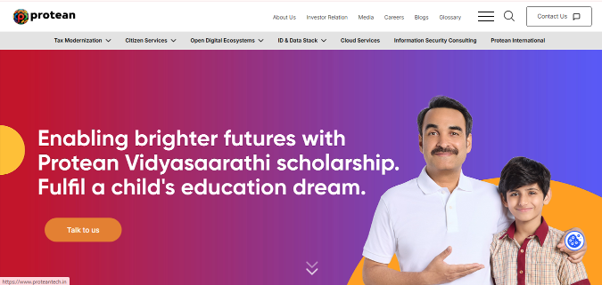
Step 2:- On the homepage, you will find the Tax Modernisation tab in the top navigation bar. Simply hover over it to display the drop-down menu, as shown in the image below. Then, click on PAN, and you will be redirected to a new page where you can access the PAN-related services.
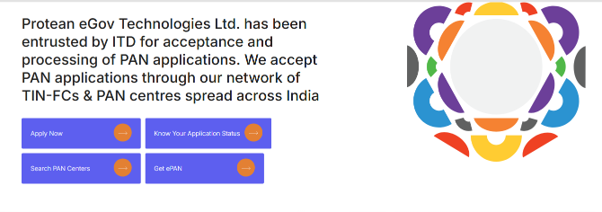
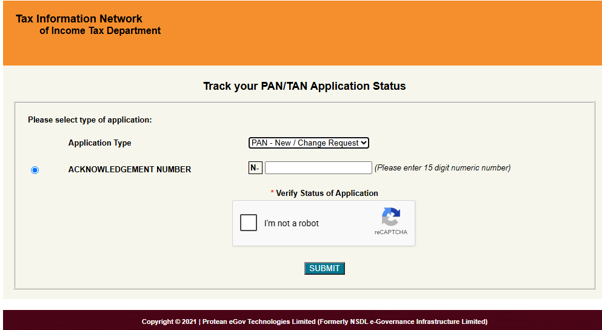
Step 4:- Select PAN new/change Request and then Enter Your Acknowledge number (15 digits) and fill the captcha; click on the submit button.
Tips: If you applied for a new PAN or updated your details, In both cases select this option.
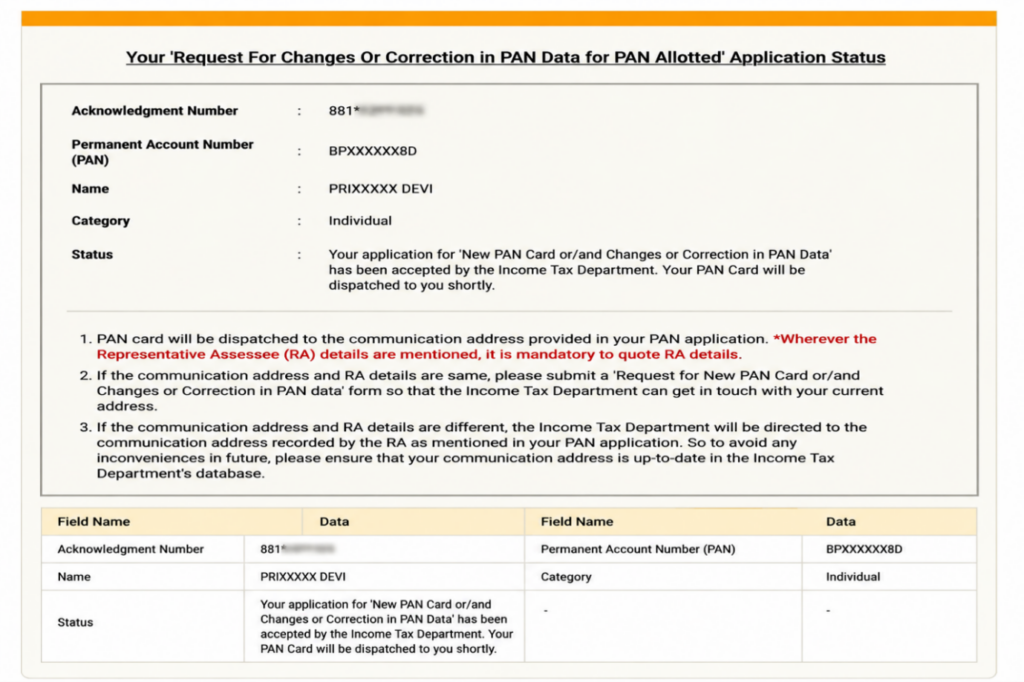
Your current PAN application status will be displayed on the screen. It shows
Your ‘Request For Changes Or Correction in PAN Data for PAN Allotted’ Application Status
Acknowledgement Number: 881********
Permanent Account Number (PAN): BPXXXXXX8D
Name: PRIXXXXX DEVI
Category: Individual
Status:
Your application for ‘New PAN Card or/and Changes or Correction in PAN Data’ has been accepted by the Income Tax Department. Your PAN Card will be dispatched to you shortly.
Important Instructions
- PAN card will be dispatched to the communication address provided in your PAN application. Wherever the Representative Assessee (RA) details are mentioned, it is mandatory to quote RA details.
- If the communication address and RA details are the same, please submit a ‘Request for New PAN Card or/and Changes or Correction in PAN Data’ form so that the Income Tax Department can get in touch with your current address.
- If the communication address and RA details are different, the Income Tax Department will send the PAN Card to the communication address recorded by the RA as mentioned in your PAN application. To avoid any inconvenience in the future, please ensure that your communication address is up-to-date in the Income Tax Department’s database.
Field Details
| Field Name | Data |
| Acknowledgment Number | 881******** |
| Permanent Account Number (PAN) | BPXXXXXX8D |
| Name | PRIXXXXX DEVI |
| Category | Individual |
| Status | Your application for ‘New PAN Card or/and Changes or Correction in PAN Data’ has been accepted by the Income Tax Department. Your PAN Card will be dispatched to you shortly. |
Have a look at this image to know a Quick overview.
How to check PAN Card Status on UTIITSL?
If you are choosing this method, then it is slightly different, but just as straightforward. UTIITSL uses a “Coupon Number” instead of an “Acknowledgement Number.” Look at the following simple steps-
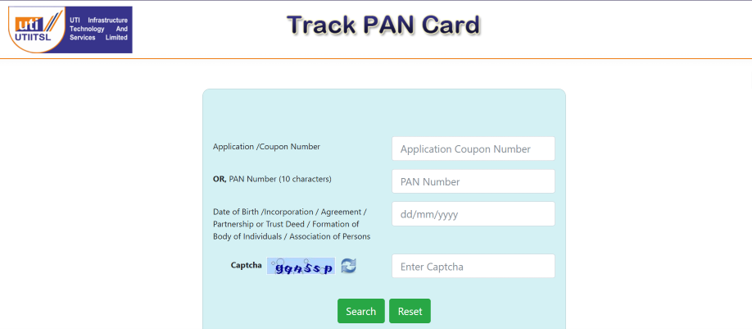
Step 1:- Visit this official portal of or visit this link- https://www.trackpan.utiitsl.com/PANONLINE/forms/TrackPan/trackApp
Step 2:- Enter
- Application Coupon Number or PAN Number (10 characters)
- Date of Birth /Incorporation / Agreement / Partnership or Trust Deed / Formation of Body of Individuals / Association of Persons
- Captcha
And last, click on the Search Button.
The status of your PAN is displayed on your screen.
Step 2:- On the homepage, you will find the Tax Modernisation tab in the top navigation bar. Simply hover over it to display the drop-down menu, as shown in the image below. Then, click on PAN, and you will be redirected to a new page where you can access the PAN-related services.
Step 3:- Scroll down the page and then click on “Know your application status”.
Three Other ways to track your PAN status
- Telephone call: – Dial 020-27218080, ask to enter your Acknowledgement Number. Now you can check your status.
- SMS facility: – Send a message to an SMS ‘NSDLPAN 15-digit acknowledgement number’ to 57575.
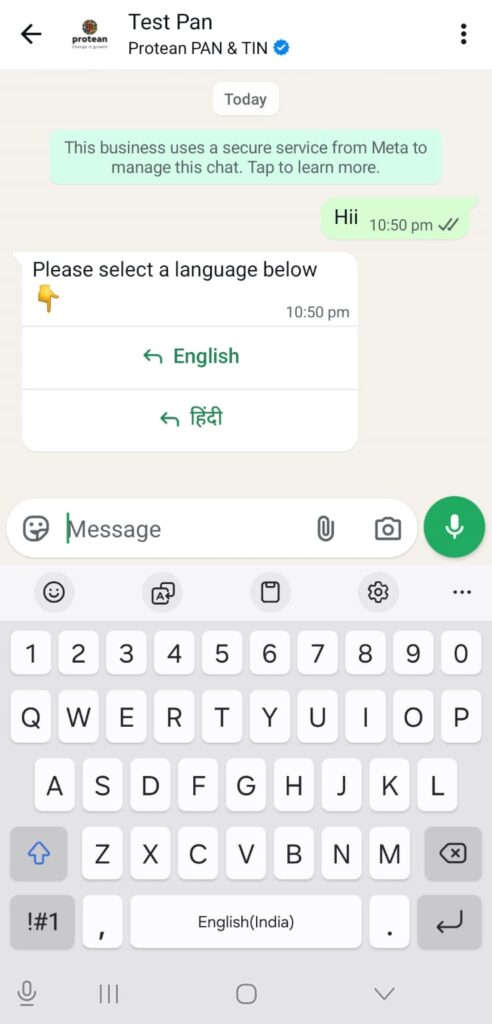
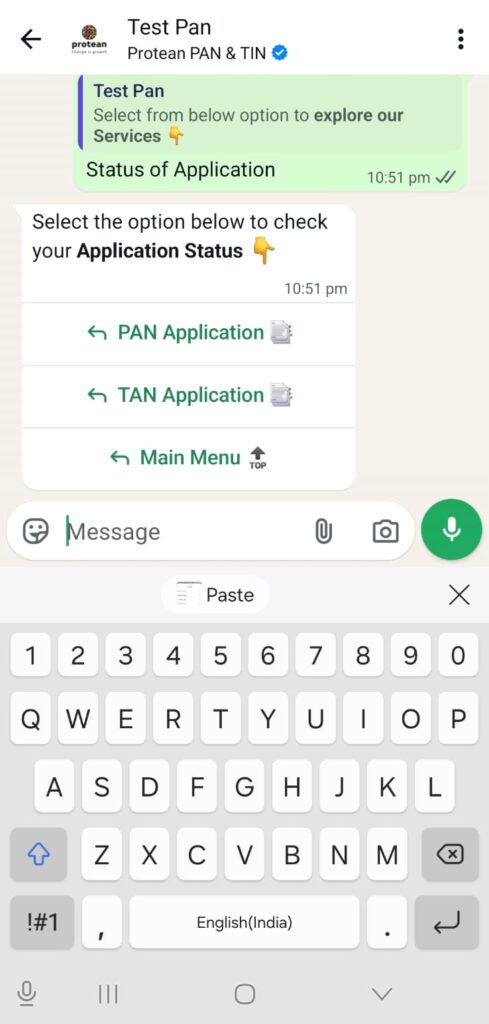
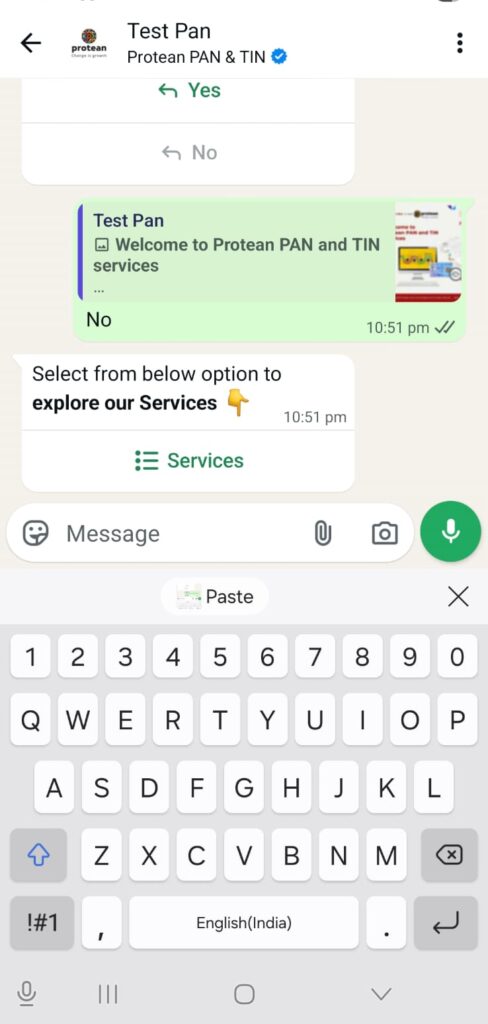
- WhatsApp: – Send a ‘Hi’ message to 8096078080 on WhatsApp
- Select language
- Select Service(Pan status)
- Select Status of application(PAN Application)
- Now enter your 15 Digit PAN acknowledgement number generated by PROTEAN.
How to check PAN status using Aadhaar Number?
Step 1:- Visit the official Website- https://www.incometax.gov.in/iec/foportal/
Step 2:- Click on Instant E-PAN

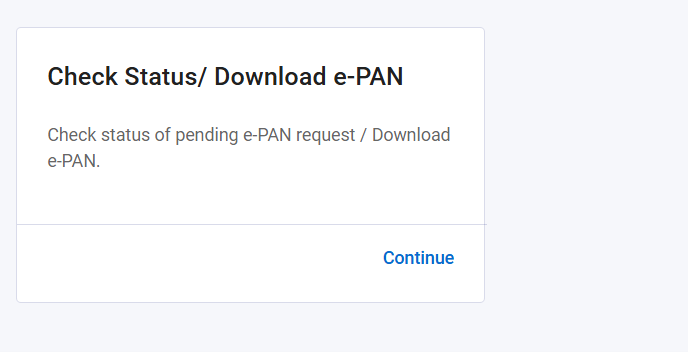
Step 3:- Choose Check status and click on Contiune Button.
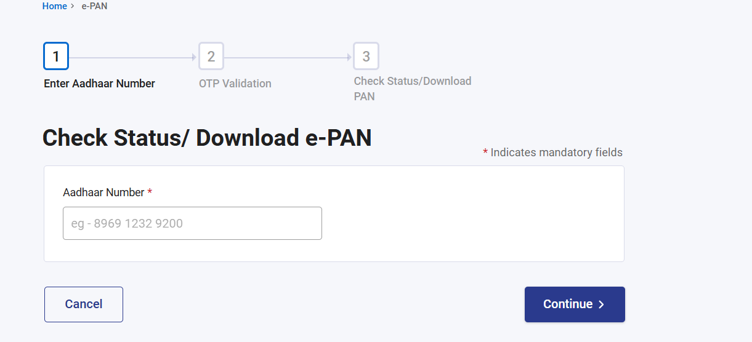
Step 4:- Enter your Aadhaar number, and then you will receive an OTP on your linked Aadhaar number.
Step 5:- Finally, you can check your status.
What to Do if Your Status Shows an ‘Objection’
Seeing an “Objection” status can be worrying, but it’s usually easy to fix. This simply means the processing officer found a mismatch or requires more information.
First, check the reason for the objection, which is typically mentioned on the status page. Common reasons include a blurry photo, an unclear signature, or a name mismatch between your application and your Aadhaar or other proof.
To resolve it, you need to submit the required clarification or corrected documents. The portal will provide instructions on how to do this. You may need to re-upload a document or send a physical copy to their office. Once you’ve submitted the required information, your application will be re-processed.
Frequently Asked Questions
What should I do if I have lost my PAN acknowledgement number?
If you’ve lost the physical receipt, check your email inbox and SMS messages. Both Protean and UTIITSL send a confirmation with the acknowledgement or coupon number upon successful submission. If you can’t find it, you may need to contact their customer support for assistance or email at utiitsl.gsd@utiitsl.com
How long does it take to receive the physical PAN card after it is dispatched?
Once the status shows “Dispatched,” it typically takes about 7 to 15 working days for the physical PAN card to reach your address via India Post’s Speed Post service. You can use the tracking number provided on the status page to monitor the delivery.
Can I check my PAN card status by name and date of birth?
No, you cannot track your PAN application status using only your name and date of birth. The acknowledgement number (for Protean/NSDL) or the coupon number (for UTIITSL) is mandatory to protect your privacy and ensure that only you can access your application details.
What does ‘Your application is under process at ITD’ mean?
This status means your application has passed the initial verification by Protean or UTIITSL and has now been forwarded to the Income Tax Department (ITD) for final approval and PAN allotment. This is a standard step in the process.
