

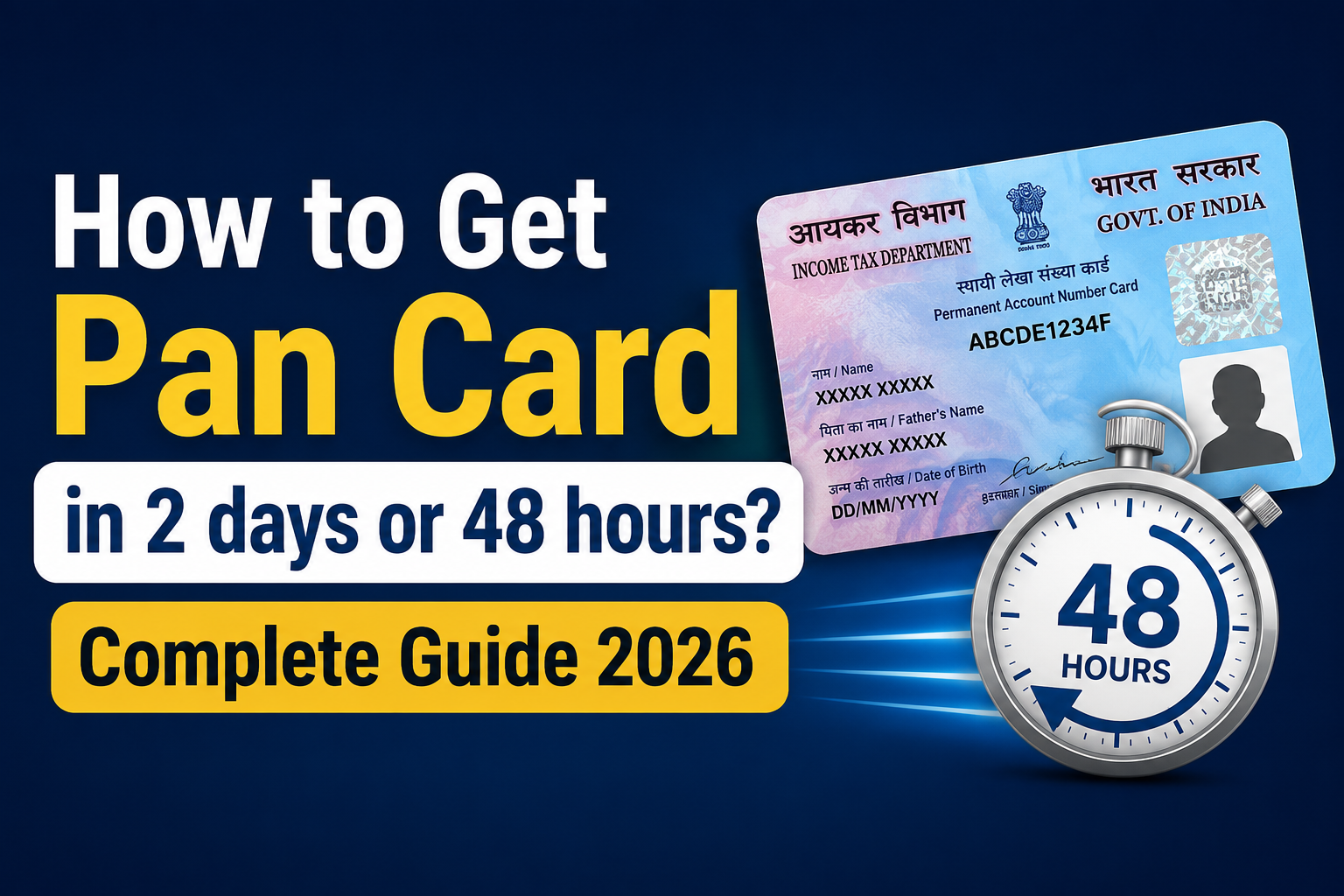
Whether you’re opening a bank account, starting a new job, investing in the stock market, or filing your Income Tax Return (ITR), a PAN card is an important document in every financial transaction. But what if you need it urgently? Can you really get an E-PAN card in 2 days or 48 hours?
The answer is yes—in many cases. Eligible applicants can receive an instant e-PAN within minutes, while the physical PAN card can often be processed and delivered within around 48 hours, depending on the application method, verification process, and your location.
In this complete guide, you’ll learn how to get a PAN card in 2 days or 48 hours, the fastest application methods, eligibility criteria, required documents, application fees, processing timelines, and how to track your PAN card status using official government portals.
Key Takeaways
- The 48-hour or two-day service includes a digital e-PAN, not a physical card. The real card is mailed later, taking 1-2 weeks to your mailed address.
- This quick process is only achievable with the Aadhaar e-KYC method on the official Income Tax portal.
- To obtain the One-Time Password (OTP) for verification, you must have your cellphone number linked to your Aadhaar card.
- The e-PAN is a digitally signed PDF document that is equally legitimate as the physical PAN card for all financial transactions and KYC purposes.
- This service is free and intended for people who have never applied for a PAN previously.
Quick Summary: Which Method Should You Choose?
| Method | Time Taken | Cost | Best For |
| Instant e-PAN (Aadhaar-based) | ~10 minutes | Free | Anyone who has never applied for a PAN card before and whose applicant number is linked with an Aadhaar card. |
| e-PAN via NSDL/UTIITSL (paperless, e-KYC) | 24–48 hours | ₹72–₹101 | Those who want a digitally signed e-PAN plus official record with NSDL/UTIITSL |
| Physical PAN Card (courier delivery) | 7–15 days | ₹107 (India) / ₹1,017 (abroad) | Those who specifically need a physical card mailed to their address |
Our suggestion:- If you need a PAN immediately, the Instant e-PAN facility offered through the Income Tax Department is the fastest option for eligible first-time applicants with Aadhaar-based e-KYC. If you also require a printed PAN card, you can apply through NSDL or UTIITSL, but delivery will depend on document verification, printing, and courier timelines.
Instant e-PAN Through Aadhaar (Fastest – About 10 Minutes Process)
This is the quickest legitimate way to get a PAN in India, run directly by the Income Tax Department. It’s free of cost and entirely online.
Eligibility:
- You must have a valid Aadhaar number
- Your mobile number must be linked to your Aadhaar (for OTP verification)
- You should not already have a PAN allotted to you
- Your Aadhaar details (name, date of birth) should be complete and accurate
Steps to apply for E-PAN through Aadhaar( Pan Card in 2 days or 48 hours)
- Visit the Official Portal- https://www.incometax.gov.in/iec/foportal/
- Scroll down the page and select E-pan.
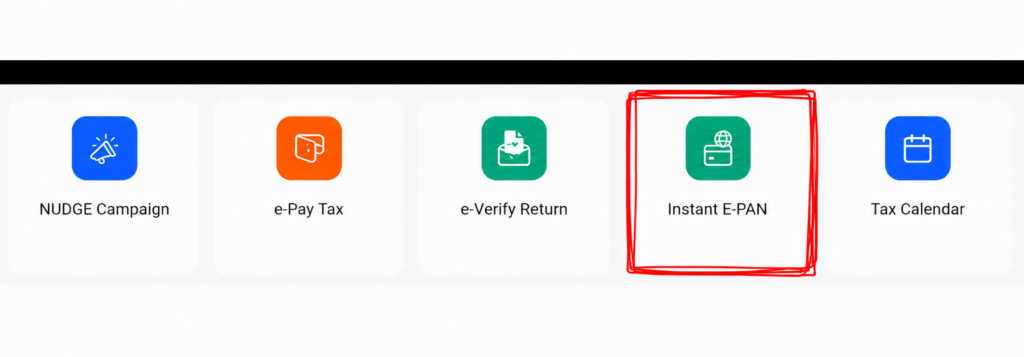
Now Click on get New E-PAN
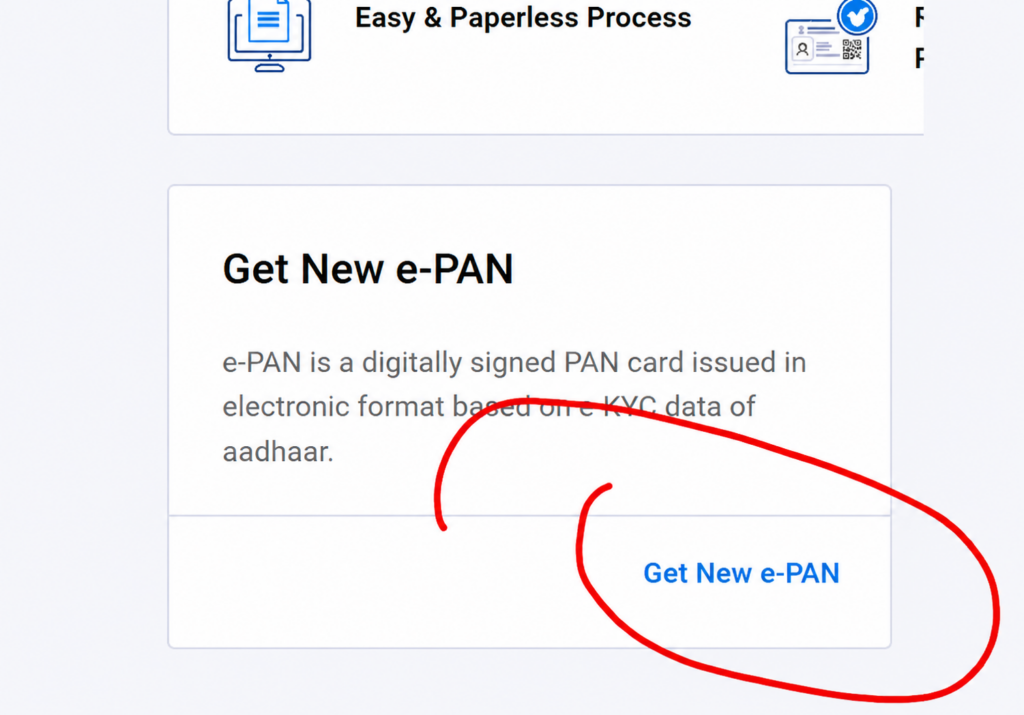
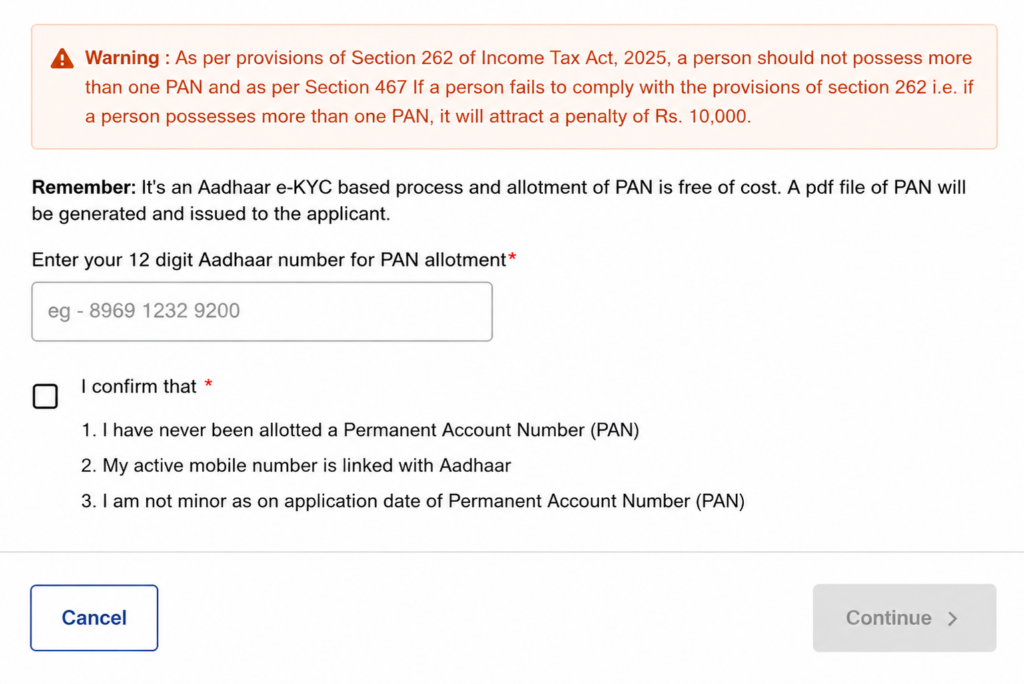
On the Get New e-PAN page:
- Enter your 12-digit Aadhaar number in the required field.
- Tick the confirmation checkbox to declare that:
- You have never been allotted a PAN before.
- Your mobile number is linked with your Aadhaar.
- You are 18 years of age or older on the date of application.
- After confirming these details, click Continue to proceed with Aadhaar OTP verification.
Important: The Instant e-PAN service is free of cost and is available only for first-time PAN applicants. If you already have a PAN, do not apply again, as holding more than one PAN may attract a penalty under the Income-tax Act.
Step 5: Verify Your Aadhaar Using OTP
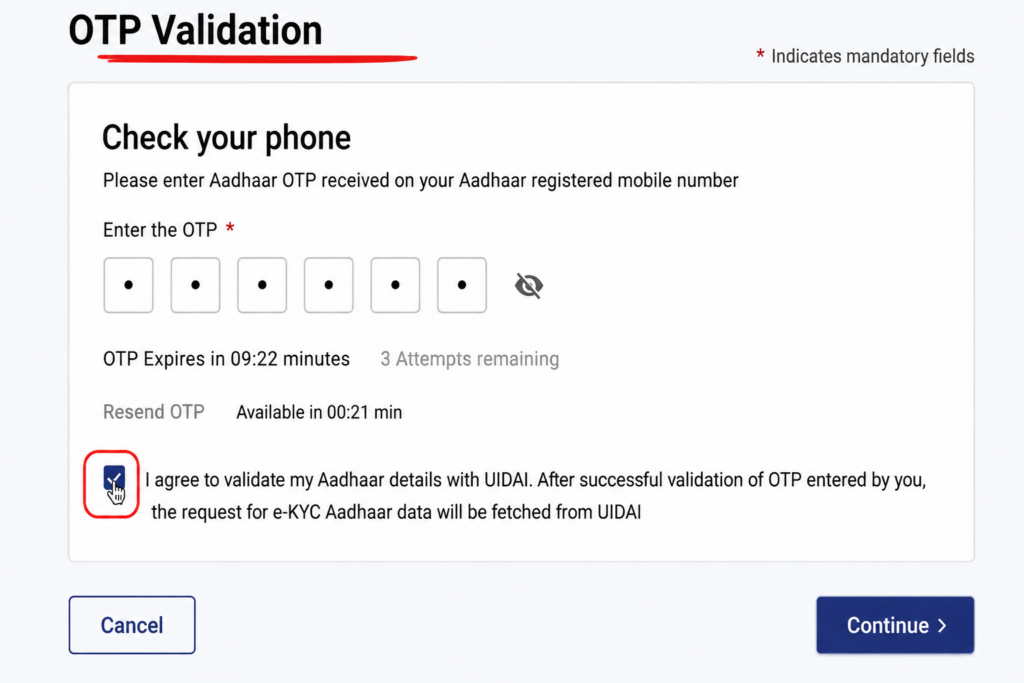
After entering your Aadhaar number, the Income Tax Department will send a One-Time Password (OTP) to the mobile number linked with your Aadhaar.
Follow these steps:
- Enter the 6-digit OTP received on your Aadhaar-registered mobile number.
- Tick the checkbox to consent to Aadhaar verification with UIDAI. This allows the Income Tax Department to securely fetch your Aadhaar e-KYC details for identity verification.
- Click Continue to complete the OTP verification process.
Note:
- The OTP is valid for a limited time, so enter it before it expires.
- If you don’t receive the OTP, you can use the Resend OTP option after the waiting period.
- Make sure your mobile number is linked with your Aadhaar, as the Instant e-PAN service relies on Aadhaar-based e-KYC verification.
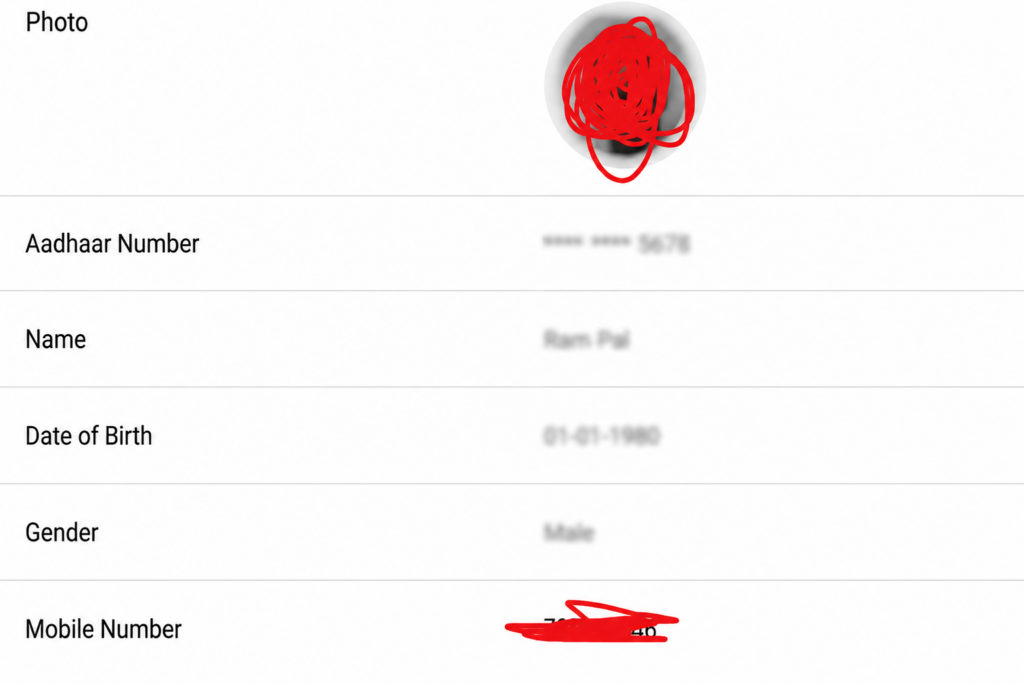
Step 6: Verify Your Aadhaar Details and Link Your Email Address
Once your Aadhaar OTP is successfully verified, the Income Tax Department fetches your details through Aadhaar e-KYC and displays them on the screen.
Review the following information carefully:
- Your photograph
- Aadhaar number (partially masked)
- Full name
- Date of Birth
- Gender
- Mobile number
- Email address (if already linked)
Make sure all the details displayed match your Aadhaar records. If you notice any incorrect information, update your Aadhaar details before proceeding with the PAN application.
Note: The details shown on this page are fetched directly from your Aadhaar database. You cannot edit your name, date of birth, gender, or photograph during the Instant e-PAN application process.
Step 7: Link and Verify Your Email Address (If Required)
If your email address is not already available, you’ll be asked to add one before completing the application.
Follow these steps:
- Click Link Email ID.
- Enter your active email address.
- Click Send OTP.
- Check your email inbox and enter the OTP you received.
- Click Submit to verify your email address.
Once the OTP is verified successfully, your email address will be linked to your PAN application.
Tip: Use an email address that you access regularly, as the Income Tax Department may send important updates and your digitally signed e-PAN to this email.
Step 8: Accept the Declaration and Submit Your Application
Before submitting your request, read the declaration carefully and tick the I Accept checkbox.
By accepting the declaration, you confirm that:
- The information displayed is correct.
- You have never been allotted a PAN before.
- You understand that holding more than one PAN may attract a penalty under the Income-tax Act.
- You agree to the PAN being allotted based on your Aadhaar details.
After reviewing everything, click Continue to submit your Instant e-PAN application.
Important: Once your application is submitted, the Income Tax Department will process your request. If you are eligible and all verification checks are successful, your digitally signed e-PAN is usually generated within a few minutes. You can later download it from the Income Tax e-Filing portal.
Step 9: Submit Your Instant e-PAN Application
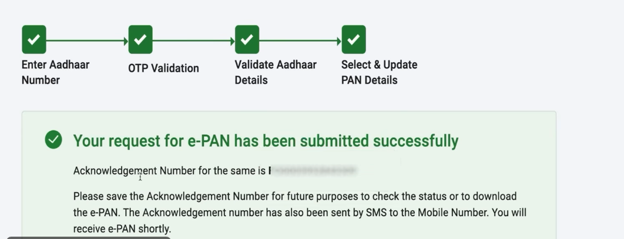
After verifying your Aadhaar details and accepting the declaration, click Continue to submit your Instant e-PAN application.
If everything is verified successfully, you’ll see a confirmation message stating that your e-PAN request has been submitted successfully.
The confirmation page will display:
- Acknowledgement Number (Application Reference Number)
- Confirmation that your request has been successfully received
- Instructions to use the acknowledgement number to track your application or download your e-PAN later
Important: Save your Acknowledgement Number carefully. It is required to check your application status or download your e-PAN in the future. The acknowledgement number is also sent to your registered mobile number via SMS.
How to Download Your Instant e-PAN After Applying
After submitting your Instant e-PAN application, the Income Tax Department starts processing your request. If all eligibility and Aadhaar verification checks are completed successfully, your digitally signed e-PAN is usually generated within a few minutes. However, the processing time may vary depending on system availability. Sometimes it may take 1 hour above.
If your e-PAN is not available immediately, don’t worry. You can check its status and download it anytime from the official Income Tax e-Filing portal by following these steps.
Step 1: Visit the Income Tax e-Filing Portal
Go to the official Income Tax e-Filing Portal and scroll down to the Quick Links section.
Click Instant e-PAN.
Step 2: Select “Check Status / Download e-PAN”
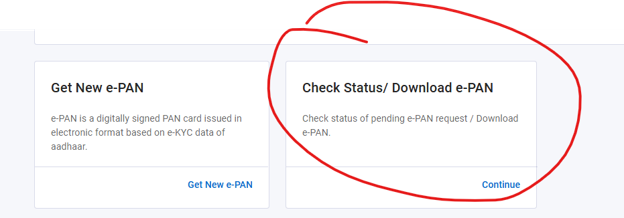
On the Instant e-PAN page, you’ll find two options:
- Get New e-PAN
- Check Status / Download e-PAN
Since you’ve already submitted your application, click Continue under Check Status / Download e-PAN.
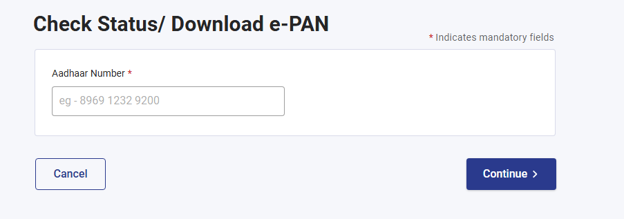
Step 3: Enter Your Aadhaar Number
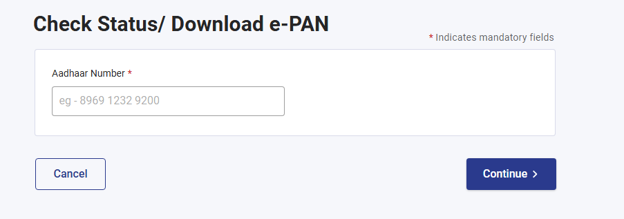
Enter the 12-digit Aadhaar number used while applying for the Instant e-PAN.
After entering the Aadhaar number, click Continue.
Step 4: Complete OTP Verification
An OTP will be sent to the mobile number linked with your Aadhaar.
- Enter the OTP.
- Click Continue to verify your identity.
This security step ensures that only the Aadhaar holder can access the e-PAN.
Step 5: Check Your Application Status
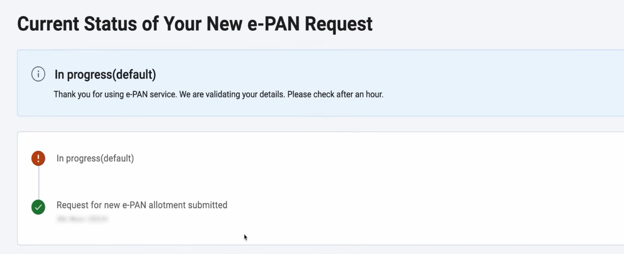
After successful OTP verification, your application status will be displayed.
You may see one of the following statuses:
- In Progress – Your application is still being processed. Please check again after some time.
- PAN Allotted Successfully – Your PAN has been generated and is ready to download.
Note: Although many Instant e-PAN applications are processed within a few minutes, the Income Tax Department advises that processing may take longer in some cases.
Step 6: Download Your e-PAN
Once your status shows PAN Allotted Successfully, click View e-PAN.
Your digitally signed PAN card will be downloaded in PDF format.
Step 7: Open the PDF Using Your Password
The downloaded e-PAN PDF is password-protected for security.
To open it, enter your Date of Birth (DDMMYYYY) as the password.
Example:
- Date of Birth: 15 August 1998
- Password: 15081998
After entering the password, your e-PAN will open successfully.
Step 8: Save or Print Your e-PAN
Once opened, you can:
- Save the PDF on your device.
- Print a copy whenever required.
- Use it for KYC, banking, investing, Income Tax filing, and most financial transactions where a PAN card is required.
The e-PAN issued by the Income Tax Department is a digitally signed document and is legally valid for most official purposes.
Important: The Instant e-PAN service provides a digital PAN card, not a physical plastic PAN card. If you need a printed PVC PAN card, you can apply for one separately through the authorized PAN service providers after your PAN has been allotted.
Can You Download Your e-PAN Again Later?
Yes. Even if you don’t download your e-PAN immediately after it is generated, you can return to the Instant e-PAN section on the Income Tax e-Filing Portal at any time and use the Check Status / Download e-PAN option to download it again after Aadhaar OTP verification.
💡 Expert Tip
If your application status continues to show “In Progress” for an extended period, wait for some time and check again using the same Check Status / Download e-PAN option. In most cases, eligible applications are processed quickly, but actual processing time depends on Aadhaar verification and the Income Tax Department’s system workload.
Alternative Ways to Download E-PAN
You can download E-pan through NSDL & UTIITSL, Follow the Given Steps-
How to Download e-PAN Through Protean (Formerly NSDL)?
If you applied for a new PAN card or requested PAN corrections through Protean, follow these steps to access your e-PAN.
Step 1: Open the Protean e-PAN Download Page
Visit the official Protean e-PAN download portal And Click on download E-PAN.
Step 2: Enter Your PAN Details
Fill in the required information, such as:
- PAN number or acknowledgment number
- Date of Birth or Incorporation (as applicable)
- Captcha verification code
Double-check the details before proceeding to avoid verification errors.
Step 3: Complete OTP Verification
Choose whether you want to receive the One-Time Password (OTP) on your registered mobile number or email address. Enter the OTP to verify your identity.
Step 4: Download Your e-PAN
Once the verification is successful, your e-PAN will be available for download as a password-protected PDF file.
Important Note
- If your PAN has been allotted or updated recently, you can usually download the e-PAN free of cost within the permitted period.
- After the free download period expires, Protean may charge a small processing fee for additional downloads.
Tip: Make sure your mobile number and email ID are updated in PAN records; otherwise, OTP verification may fail.
How to Download e-PAN Through UTIITSL?
Applicants who submitted their PAN application through UTI Infrastructure Technology and Services Limited (UTIITSL) can download their e-PAN by following these steps.
Step 1: Visit the UTIITSL PAN Portal
Open the official UTIITSL PAN services website and select the Download e-PAN option.
Step 2: Enter Your PAN Information
Provide the required details, including:
- PAN number
- Date of Birth
- GSTIN (if applicable)
- Captcha code
Step 3: Verify Using OTP
An OTP will be sent to your registered mobile number or email address. Enter the OTP to continue.
Step 4: Download the e-PAN PDF
After successful verification, you can download your electronic PAN card instantly.
Important Note
- UTIITSL generally allows free e-PAN downloads for a limited period after PAN allotment.
- If you download it after the free eligibility period, a nominal fee may apply as per the latest guidelines.
Frequently Asked Questions
Can I really get a PAN card in 48 hours?
Yes — using the paperless e-KYC/e-Sign method on NSDL (Protean) or UTIITSL, or the Instant e-PAN facility (which is often even faster, at around 10 minutes), you can have a valid, downloadable e-PAN well within 48 hours.
Is the e-PAN as valid as a physical PAN card?
Yes, an e-PAN carries the same legal validity as a physical PAN card and is accepted for all financial and tax-related purposes.
Do I need to pay anything for Instant e-PAN?
No. The Instant e-PAN service through the Income Tax e-filing portal is completely free.
What if I already have a PAN and just need a reprint or correction?
Instant e-PAN is only for first-time applicants. If you already hold a PAN, use the “Changes or Correction in PAN Data” option on the NSDL (Protean) portal instead.
What is the password to open my e-PAN PDF?
Your date of birth in DDMMYYYY format, unless you’ve been informed otherwise on the portal.
This guide is based on information published on the official Income Tax Department e-filing portal, Protean (NSDL), and UTIITSL websites as of 2026. Rules, fees, and processing times are set by the Government of India and may be updated periodically — always verify current details on the official portals linked above before applying.
