

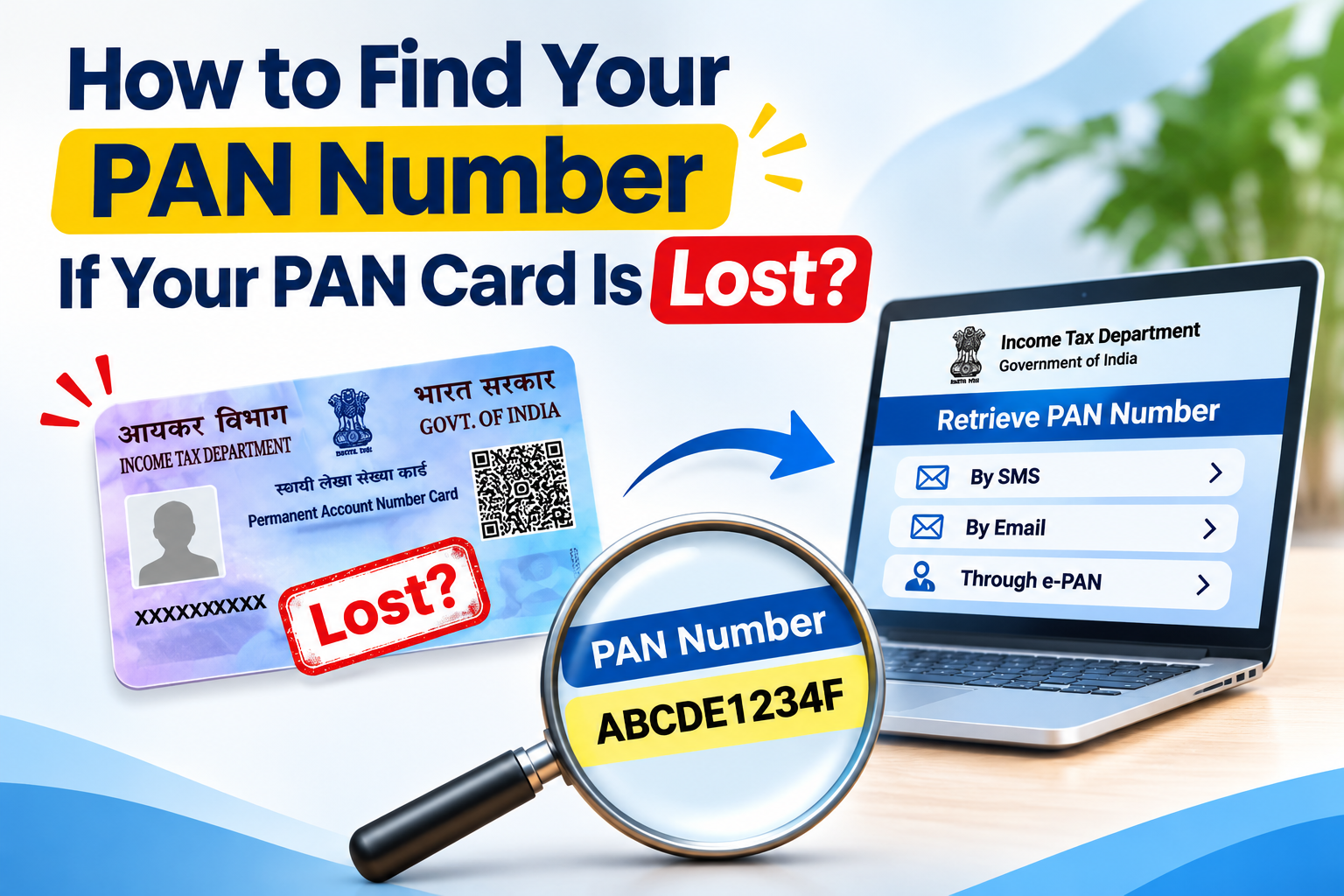
A PAN card is essential for financial activities such as filing ITR, opening a bank account, and completing bank KYC. But what if you lose your PAN card and cannot remember your PAN number?
You may think applying for a new PAN card is the only option, but that’s not necessary. You can retrieve your existing PAN number online. In this guide, we’ll explain how to find your PAN number if your PAN card is lost and how to get a duplicate PAN card.
Can You Find Your PAN Number If You Have Lost Your PAN Card?
Yes, you can retrieve it through the Income Tax Department’s official portal using your personal details and verification. Once you recover your PAN number, you can apply for a duplicate PAN card with the same number.
Important: Don’t apply for a new PAN just because the card is lost. Holding more than one PAN is not allowed and can lead to a penalty. The right path is always to recover the old one and then apply for a duplicate PAN.
How to Find Your PAN Number Online If Your PAN Card Is Lost?
There are 4 methods to follow to recover a lost PAN Number are given Below:
Method 1: Find PAN number through income tax portal (Instant e pan facility)
- Go to the official Income Tax e-Filing portal (incometax.gov.in).
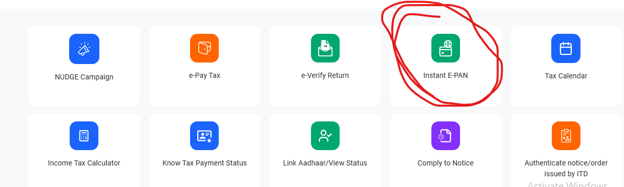
- Click on Check Status or Download e-PAN

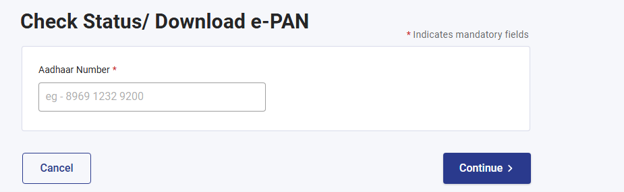
- Now enter your Aadhaar card number
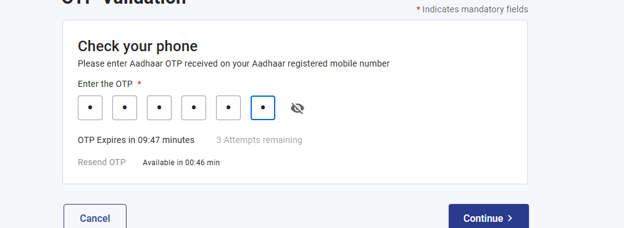
4. Enter OTP and Validate
This OTP is sent to your mobile number linked with Aadhaar.
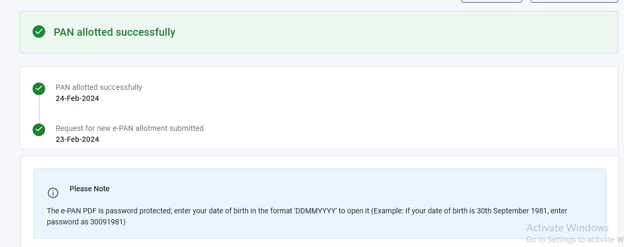
- Now download your View Your PAN number

To open the PDF, enter your date of birth.
Method 2: Check Your PAN Through Your Income Tax Account (Profile Section)
If you already have a login on the e-Filing portal, this is the easiest route:
- Visit the Income Tax e-Filing portal and log in with your registered credentials.
- Open your profile section.
- Look for your PAN details and note the number down.
If you’ve filed returns before, there’s a good chance you already have an account. Your user ID is usually your PAN itself, so if you can log in, you already know it.
Method 3: Check Your Previous Income Tax Returns
Your PAN is printed on almost every tax document. Look for:
- Old ITR acknowledgements (ITR-V)
- Form 16 from your employer
- Form 16A (TDS certificate from a bank, for example)
- Form 26AS or the Annual Information Statement
If you work with a CA or tax consultant, ask them. They’ll have your PAN in their records.
Method 4: Check Your Bank or Financial Documents
Your PAN is almost certainly recorded somewhere in your financial life. Check:
- Bank statements, account opening forms or fixed deposit receipts
- Mutual fund statements and SIP records
- Demat account and trading account documents
- Insurance policy papers
- Old KYC forms and loan applications
A quick tip: search your email inbox for “PAN”. Account statements and KYC confirmations often carry the number, and you can find it in seconds.
What If You Cannot Find Your PAN Number Online?
Here are the reasons that tells you the reason why you cannot get your PAN number:
- Name or date of birth mismatch: Try different spellings or the exact format from your old documents. Even an initial in the wrong place can cause a mismatch.
- Old mobile number no longer accessible: Try your registered email or e-Filing login. If neither works, you may need to update your contact details through the proper channel first.
- Unable to log in to your Income Tax account: Use the “Forgot Password” option, or check whether your user ID is simply your PAN.
- PAN details not appearing in the portal: Double-check your inputs. If everything is correct and nothing shows up, contact the Income Tax Department or the PAN service provider.
- Difficulty accessing services from outside India: Some services depend on Indian OTPs. Try from a stable connection, and if you’re still blocked, seek assistance rather than repeating failed attempts many times.
Related Article
PAN Card for NRIs: Eligibility, Uses, How to Apply & Fees (2026)
Company PAN Card for NRI & OCI: Eligibility, Documents & Application Process (2026)
