

An incorrect name, date of birth, father’s name, photograph, signature, or address on your PAN card can lead to KYC failures, banking issues, and delays in tax-related services. Fortunately, you can complete your PAN Card Update on UTIITSL and Protean (NSDL) from home without visiting a PAN Service centre. The online process is simple, secure, and allows you to correct your PAN details by submitting the required documents digitally.
In this Guide, you’ll learn how to Update Pan Card on UTIITSL and Protean (NSDL) with details such as Whether you’re correcting your name after marriage, updating your address, changing your mobile number, or fixing your date of birth through the official UTIITSL portal, this guide explains every step in a simple and easy-to-follow manner.
Key Takeaways
- PAN card correction can be completed online through the two government-authorised service providers: UTIITSL and Protean (formerly NSDL e-Gov).
- You can update your name, father’s name, date of birth, photograph, signature, gender, address, mobile number, email ID, and other personal details without changing your PAN number.
- Ensure that all supporting documents are valid, clear, and match the information you want to update to avoid delays or rejection of your application.
- The PAN correction fee depends on whether your communication address is in India or outside India. The applicable charges are displayed on the official portal during the application process.
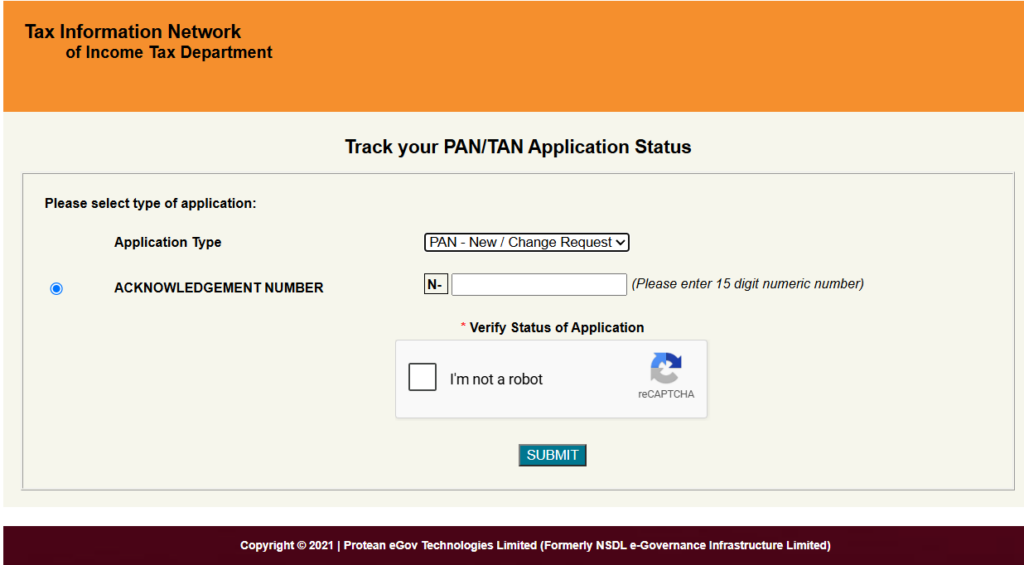
- After submitting your application, you can track its status online using your acknowledgement number through the official UTIITSL or Protean portal.
- Once your application is successfully verified and approved, your updated e-PAN is issued digitally, and if you have requested a physical PAN card, it is dispatched to your registered communication address.
Why You Should Correct Your PAN Details?
Your PAN card is a permanent identity document used for filing income tax returns, opening bank accounts, completing KYC verification, investing in mutual funds and securities, purchasing property, and carrying out other financial transactions in India.
If the information on your PAN card—such as your name, date of birth, or father’s name—does not match your Aadhaar or other official documents, you may face delays in KYC verification, income tax refunds, banking services, loan processing, or investment approvals. Updating incorrect PAN details helps ensure your financial records remain accurate and reduces the chances of unnecessary verification issues or application rejections.
What Can Be Updated on Your PAN Card?
If any personal information on your PAN card is incorrect or has changed over time, you can request a correction through the online PAN update process. Depending on your needs, you can update the following information:
- Name (even after marriage, divorce, or legal name change)
- Father’s name
- Date of birth
- Photograph
- Signature
- Gender
- Contact address
- Mobile number and email ID (if applicable during the application process)
Your PAN number never changes. The correction process only updates the personal information linked to your existing PAN, ensuring your record remains accurate in the Income Tax and KYC databases.
New Rules Effective April 2026
From 1 April 2026, the Central Board of Direct Taxes (CBDT) introduced an updated process for PAN correction applications. Under the revised rules, individuals submitting a PAN correction request must use Form PAN CR-01.
When submitting your PAN correction application, ensure that the information you provide—such as your name, date of birth, father’s name, and other personal details—matches the supporting documents. Any mismatch may result in verification delays or requests for additional documents.
Depending on the type of correction, you may also need to submit additional proof of date of birth, such as a Birth Certificate, Matriculation Certificate, or Passport, instead of relying solely on Aadhaar.
Before submitting your application, review all supporting documents to ensure they are valid, clear, and consistent with the information you are updating. Taking a few minutes to verify your documents in advance can help prevent processing delays and improve the chances of your application being approved without additional queries.
Documents Required for PAN Correction
The documents required for PAN correction depend on the information you want to update. To ensure your application is processed smoothly, all supporting documents should be valid, clearly visible, and match the details you are requesting to correct. Submitting incorrect, expired, or mismatched documents may lead to delays or rejection of your application.
Depending on the correction requested, you may need the following documents:
- Proof of Identity (POI): Aadhaar, Passport, Voter ID, Driving Licence, or any other government-approved identity document.
- Proof of Address (POA): Aadhaar, Passport, recent bank statement, utility bill, or any other valid address proof accepted by the authorities.
- Proof of Date of Birth (DOB): Birth Certificate, Passport, Matriculation Certificate, or another officially accepted document showing your date of birth.
- Proof of Name Change (if applicable): Marriage Certificate, Gazette Notification, Divorce Decree (where applicable), or any other legally accepted document supporting the name change.
If you are updating only your photograph or signature, you generally need to upload a recent passport-size photograph and a clear signature image. In some cases, additional documents may be requested during verification if further confirmation is required.
Tip: Before submitting your application, ensure that the information on your supporting documents matches the details you want to update. This helps reduce processing delays and improves the chances of your application being approved without additional queries.
How to Update PAN Card Online via Protean (NSDL)
- Visit the official Protean e-Gov PAN portal.
- Under the Services section, click on “PAN.”
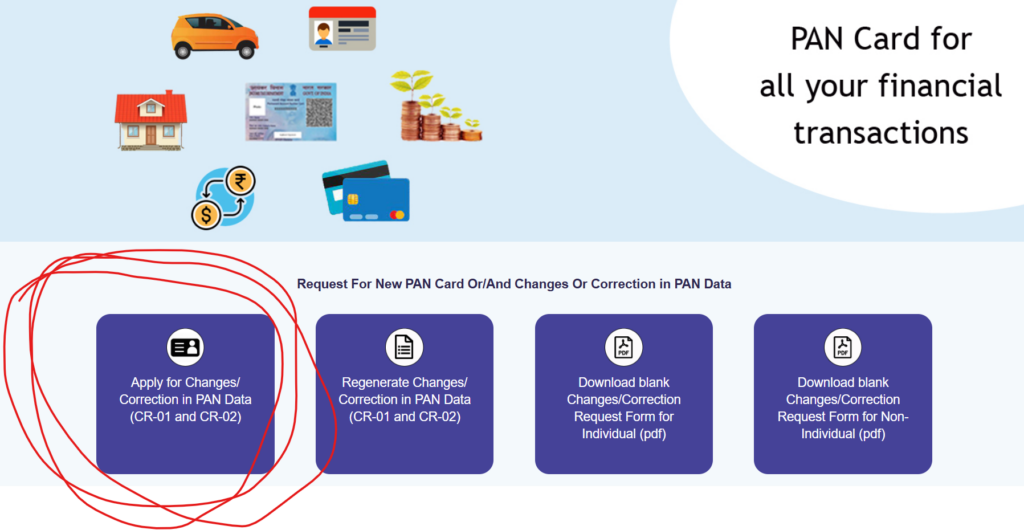
- Select “Changes or Correction in existing PAN Data.”
- Enter your existing PAN, along with your name, date of birth, email address, and mobile number.
- Tick the checkbox next to each field you want to change.
- Upload the relevant supporting documents.
- Complete e-KYC verification, usually via Aadhaar OTP.
- Pay the applicable fee through net banking, UPI, or a debit/credit card.
- Submit the application and save the acknowledgement number for tracking.
How to Update Pan Card on UTIITSL
- Visit the official UTIITSL PAN services portal.
- Select “Change/Correction in PAN” from the application type menu.
- Choose your applicant category (Individual, NRI, Foreign Citizen, Company, HUF, or Trust).
- Enter your PAN and personal details, and select the fields you wish to correct.
- Choose your document submission mode — physical upload or Aadhaar-based paperless verification.
- Pay the correction fee online.
- Submit the form to receive a coupon number, which works the same way as a Protean acknowledgement number for tracking purposes.
Click here to check your PAN status by name,Aadhaar on both NSDL and UTIITSL Portal.
Both portals follow a nearly identical process, so you can use either one regardless of which agency originally issued your PAN card. If you’re unsure, the issuing authority is usually printed on the back of your existing card.
Offline PAN Correction Process
If you prefer not to apply online, you can still visit your nearest Protean or UTIITSL PAN service centre:
- Download the PAN correction form (PAN CR-01 for individuals) from the official Protean website.
- Fill in the required fields and attach self-attested copies of the necessary documents.
- Submit the form and documents at the centre along with the applicable fee.
- Collect the acknowledgement slip, which you’ll need to track your application status later.
PAN Card Correction Fees
| Communication Address | Fee (Inclusive of GST) |
| Within India | ₹110 |
| Outside India | ₹1,020 |
Fees are periodically revised by the authorised PAN service providers and government authorities, so it’s a good idea to confirm the latest charges on the official portal before applying.
Processing Timeline
- e-PAN: Generated within 48–72 hours of successful submission
- Physical PAN card: Dispatched within 10–15 working days via India Post Speed Post
Frequently Asked Questions
Can I update only my photo or signature on my PAN card?
Yes. This type of update doesn’t require demographic proof — just upload a recent passport-size photo and a clear signature image.
Does my PAN number change after correction?
No. The PAN number is a permanent, lifetime identifier. Only the data linked to it is updated.
Is offline PAN correction still available in 2026?
Yes, both online and offline correction methods remain available. Online is faster, but physical service centres still process corrections for those who prefer them.
What happens if my PAN details don’t match Aadhaar?
Under the rules effective from April 2026, PAN identity details must match Aadhaar records exactly during verification, so it’s important to correct any mismatch before applying for other services that require KYC.
Conclusion
Updating your PAN card details online is now a fast, largely paperless process — provided you have the right documents ready and choose the correct portal. With the revised 2026 compliance rules placing greater emphasis on document accuracy and Aadhaar matching, it’s worth reviewing your PAN details today and making any necessary corrections before they cause issues with your taxes or financial transactions. A few minutes spent now on Protean or UTIITSL can save you significant hassle later.
